build your own CLI and become unstoppable
December 3, 2025
I've been scripting the boring and repetitive parts of my job since 2014. I started with little stuff, like a simple "integration" that allowed me to update content in a support desk application's APIs for their built in CMS (RIP Desk.com). Looking back now, it was a very early docs-as-code workflow. From there, it just spiraled.
I scripted running reports, updating version numbers, changing feature names every time product changed their minds on something, building category indices, so much more. Anything I could define the edges on and make repeatable, I scripted.
At my current job, I've built a CLI tool that has over 20 different commands that help my team with doc ops and content quality. We frequently add, remove, and refine commands as our approach to documentation matures and our tooling changes. Our CLI was built to work with our docs repo, and has tools that let us do things like:
- Validate all our arbitrary frontmatter
- Generate card components for individual pages from frontmatter
- Regenerate our custom Vale Views
- Run a bunch of git commands for reporting purposes
- Build a changelog for our Fern Definition
- Summarize changes on a branch compared to main (to help draft release notes)
- Extract and format a list of all our public endpoints from our Fern Definition
- Generate a list of slugs and their associated filenames
- Regenerate all D2 diagrams
- Preflight checks that run all of our doc quality checks
- So much more
Some of our commands are just thin wrappers for commands for other tools we use (like Fern, Vale, git, and Linkinator). Some of our commands are just wrappers for bundles of our homegrown scripts. There aren't any hard rules for building your own internal CLI tooling. I just happened to bundle it all up into a CLI tool because that's what made sense for my team. Do what makes sense for your team.
start with scripts
If you have boring, easy-to-define tasks that you need to repeat more than once, that's a great target for a script. LLM chat tools can help you script very quickly. You can also use it as a learning opportunity, if you want to. One of my favorite ways to approach a task that I want to learn from is telling Claude "I need a script for XYZ, but I want you to explain it as you build it."
Here are two examples of scripts I've created just this week at work to automate repetitive tasks:
- A short post-processing script that injects folder descriptions into an autogenerated Postman Collection and then pushes the update through the Postman API. Why? I needed it, and I don't want to have to do it manually every time the collection is regenerated (every time we deploy changes to the API).
- A script that scans my docs repo for errant links to filenames instead of our slugs. Why? Cause I'm still trying to solve for autocomplete getting carried away when I write inline links and linking to the wrong thing. I might miss a bad link if I'm moving too fast, and it slows me down if I find it when the PR checks run.
It's also Reporting Season™ and so I've created a few throwaway scripts that are just wrappers for series of git log commands with date inputs to help me get through pulling data faster.
If you really, truly cannot think of any boring stuff you want to script away, an LLM chat could really help you. Just explain you'd like to find automation targets in your workflow but don't know where to start. Just keep iterating until you find something that excites you a little.
build your own tooling
If you end up creating a lot of useful scripts your team could use, or you have sophisticated arguments, then bundle the scripts into a CLI tool. I've always scripted a lot of my tasks, but building them into a CLI tool has helped my team scale. I run docs -h (the help command for our CLI tool) like a thousand times a day because so much of our workflow's tools are baked into our CLI. It's become central to our docs program and it's helped us scale our docs without adding a bunch of people.
It's almost trivial to build custom tooling now if you have access to tools like ChatGPT and Claude.ai.
I started by prompting Claude.ai (yes, just the regular chat interface):
Hi! I have a rag tag collection of scripts -- python and bash mostly, that I use for docs pre-processing. I'd love to roll them all up into a cli tool I can use. What's the best way to use you for that?"
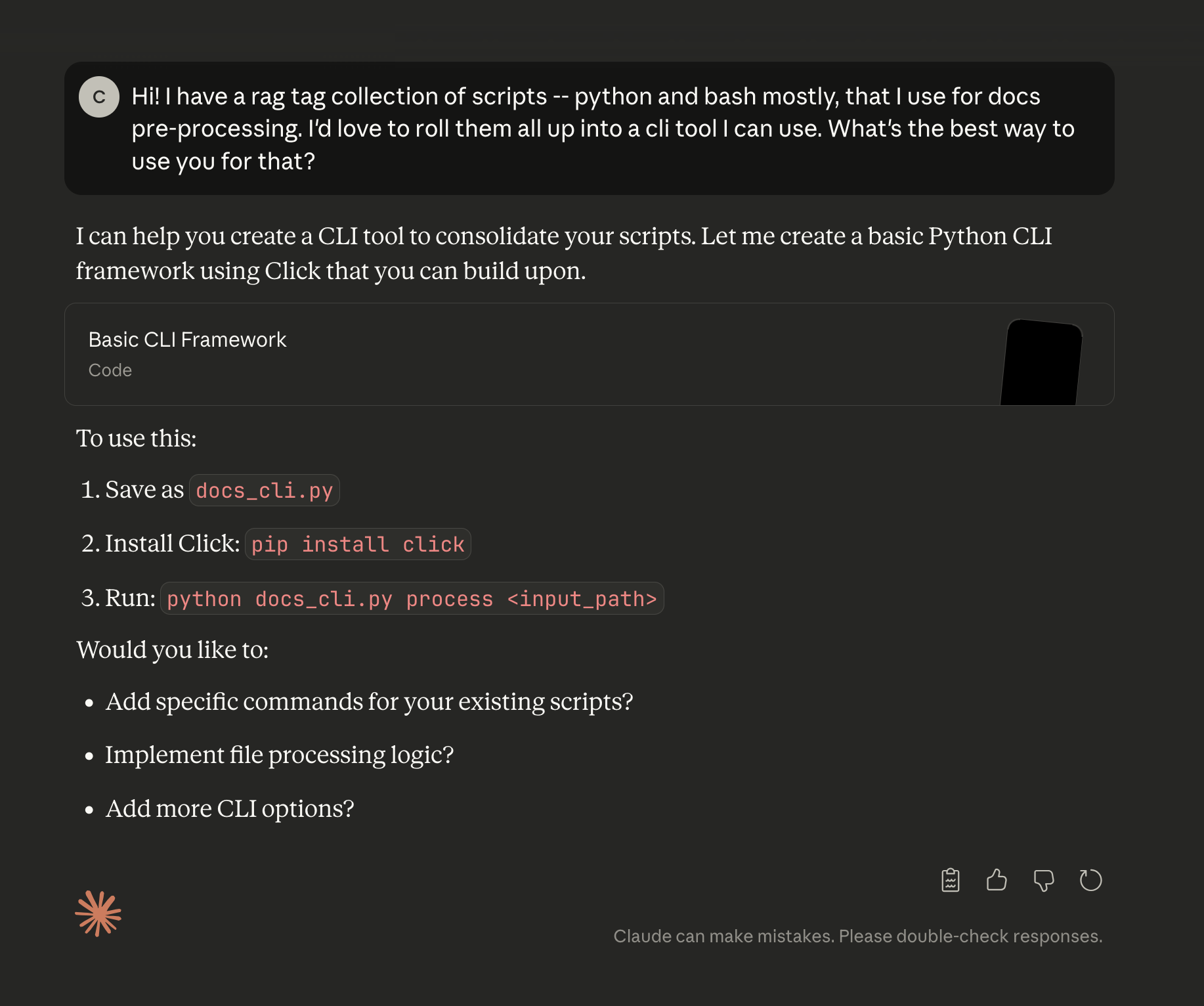
This was enough to get me going in the right direction, and now we have a really useful tool that my whole team can use locally AND in our GitHub actions to automate even more of the error-prone or annoying parts of tech writing. I've become a huge fan of commander.js through all my experimentation. There are other tools out there. Find what works for you.
Give it a try -- start with something simple, like creating a script that's just a wrapper around some GitHub operations you normally do with a GUI tool.
the end
None of what I've written is prescriptive, I'm not saying you should build a CLI, or you should use commander.js. I'm just hoping that you get a little curious about how you can use scripting to free up some of your brain to build bigger and cooler things and work on more interesting problems. What you "should" build is dictated by the terrain in which your role is set. Just get curious and creative and try something new. Give yourself 15 minutes with Claude or ChatGPT in the morning to brainstorm ideas about where you can automate.
Anyway, if you end up building anything neat, let me know!